Mirror sliding doors are one of the two material options in the Buildr app, right next to Panel, and they cover the closet fronts that need a full reflective face instead of a solid one. If you have measured a closet opening and the job calls for a mirror door, you can size it, see the price, and get a pickup date without a counter visit or a phone call.
Mirror is a material choice, not a separate product
In the Buildr app, Mirror sits under Material, the first choice you make when you build an order, alongside Panel. Pick Mirror, then move through the same steps as any other sliding door: Panels, Edge style, Edge colour, then Width and Height in inches, with a fraction chip for the odd quarter or half inch a tape measure actually reads. Nothing about sizing changes because the door is a mirror instead of a panel: the same opening, the same fields, the same flow.
Choosing Mirror does change what shows up in the price line. Buildr's own catalog re-resolves the price the moment you change Material, Panels, edge, colour or a dimension, so switching from Panel to Mirror on the same opening updates the number right away, with no separate quote request and no waiting for a call back. The price shown is Buildr's own list price for that configuration, with HST stated plainly under the price line.
Order sliding doors right from the job site. The price is the price. Pick it up when it's ready.
Buildr
Sizing a mirror opening the same way you size any other
Nothing about a mirror door changes how you measure. Take the width and height of the closet opening in inches, enter them in the same two fields the app uses for every material, and use the fraction chip if the opening lands on a quarter or half inch. The app matches your numbers against its catalog, so what you see priced is exactly the door you ordered, not a rough estimate that gets corrected later.
Because the price and the fit both come from your own numbers, there is no back-and-forth to confirm a size before you commit. The price appears the moment the size is in, right there on screen, before you pay anything, which matters when you are pricing a job on-site and need a number to give a client on the spot rather than a promise to follow up.
Ordering and pickup work exactly like every other Buildr order
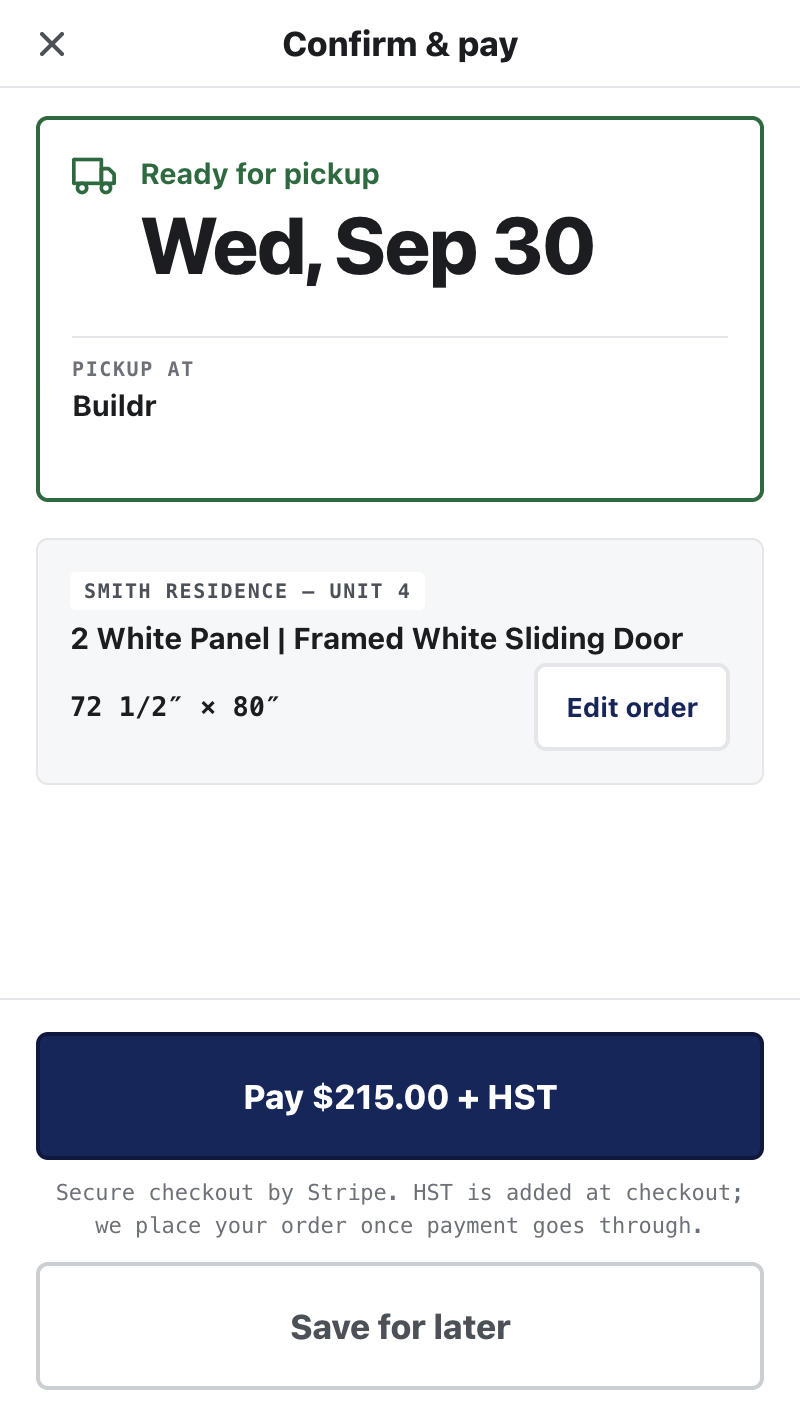
Once the size and price look right, you move to Confirm and pay. The order summary states the pickup date before you pay, so you know when the door will be ready before any money changes hands. HST is added at checkout. Payment is by card, no trade-account paperwork: that is true whether the door you ordered is Mirror or Panel, and the checkout step does not change based on material.
After payment, the order shows in the app with its pickup status, and the app tells you when it is ready: a real push notification, proven on a real device ahead of launch. Pickup is at Buildr in Concord, ON, one pickup point for the whole GTA. Bring the order number; there is nothing else to carry.
If a job you are pricing needs a closet front with a mirror finish, start an order and pick Mirror on the first screen. The size fields, the price line and the pickup date all work the same way they do for every other door in the app. If you want to see the full flow first, how it works walks through each screen, or read about closet sliding doors ordered from the job site and sliding door pricing in Toronto for the plain-panel side of the same catalog. When you're ready, get the app and measure the opening once.
Questions about an order? Support answers by phone, text, or WhatsApp.
Contact support